So I made a Kubernetes Pi cluster...
Honestly, wasn't that bad.
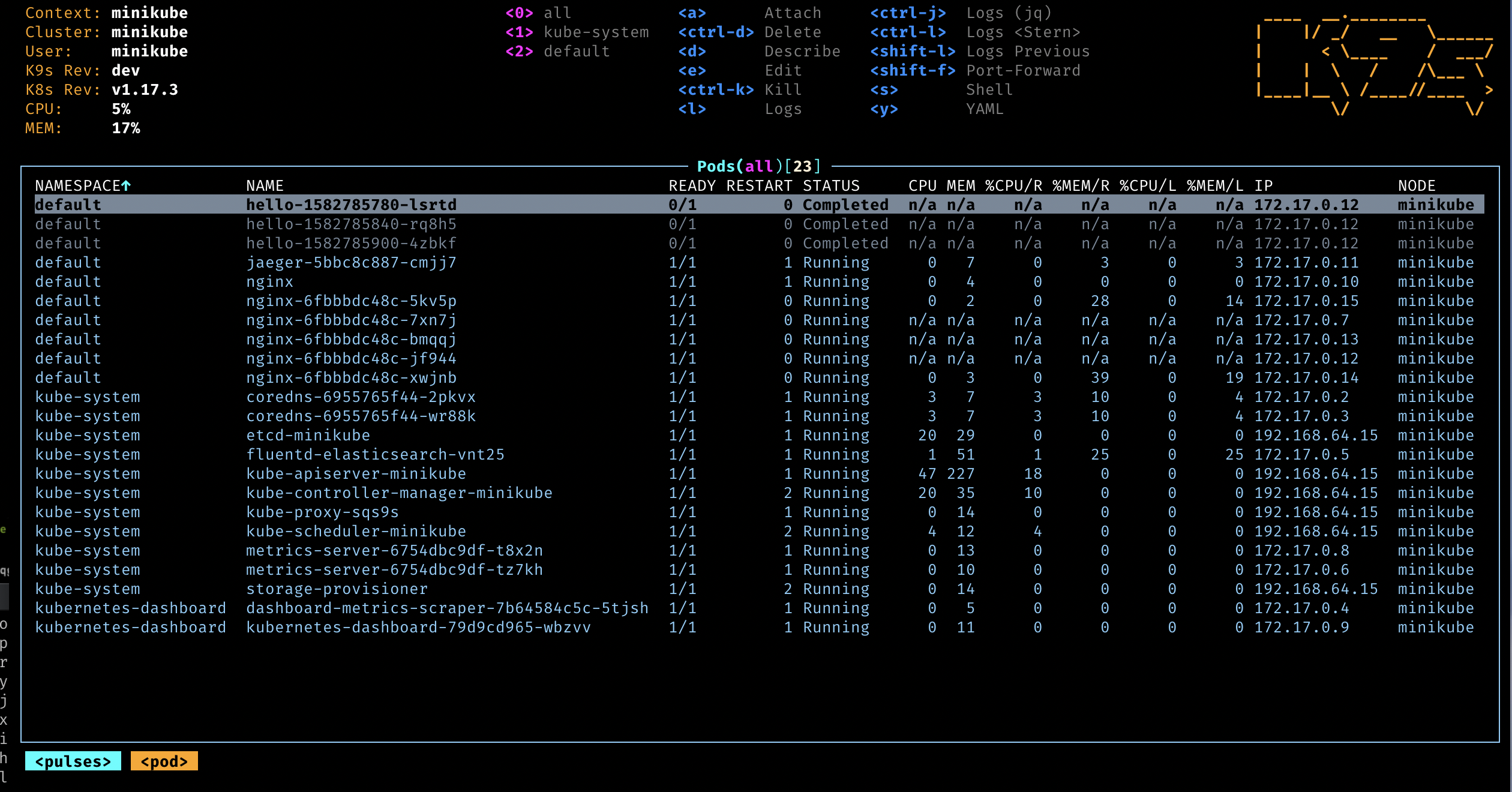
(10 minute read)Last month, I was working with another team within the Engineering org to stand up a new microservice. My colleague spun up a screenshare and I was met with an interesting sight: a TUI called k9s, used for managing Kubernetes clusters from a terminal. My own familiarity with Kubernetes and all of the spin-off taxa beneath it is, for the most part, pretty scant. But I was nevertheless captivated for the sole reason that I am an absolute sucker for brutal design.
I put a pin in it at the time, work hours and all that. My homelab is just a big stack of old PCs running Ubuntu Server (except for my one Optiplex running Windows Server, we don't talk about him). All of my services, including this website, are running in Docker and managed via Komodo. All this to say that there wasn't really a place for experimenting with Kubernetes, so I left the topic to simmer quietly in the back of my mind.
And then I found myself gifted with a Raspberry Pi over Christmas. It would be the second Pi in my possession, the first having been retired from driving an old Neptune 3 Pro Max and picking up a new line of work in reverse proxy and pi-hole duties. It even sits nicely racked in my server cabinet with a PoE hat. No doubt this newer unit would end up its neighbor.
With two Pis in hand and a lingering fascination with k9s, I resolved to stand up a Raspberry Pi Kubernetes cluster over the holiday break.
The cgroup problem
Thankfully, Canonical has their own guide on the whole process. I'd already flashed Ubuntu Server 25.10 onto the newly-inaugurated PI2 and racked it, PoE hat and everything, and so I moved straight to step 4 to install microk8s.
The first leg involved editing cmdline.txt. I am by no means familiar enough with the brass tacks of Linux configuration to know what it means, but I made my edits, rebooted, and installed microk8s via snap. It was when I attempted to microk8s inspect that I encountered the following error:
WARNING: The memory cgroup is not enabled.
The cluster may not be functioning properly. Please ensure cgroups are enabled
This came as news to me considering that I'd just enabled it. The file looked alright. Another reboot wouldn't hurt; no change. Wading around online yielded discussions about where cmdline.txt is located for different distributions, editing /proc/cmdline instead, something about a cgroup v2. And of course no troubleshooting research session would be complete without a trove of autoclosed GitHub issues and oprhaned Stack Exchange questions. But across everyone's grievances it was clear that something about cgroups was not behaving as expected.
If this were true, then I could replicate this same issue on PI1, after all it's the same hardware and it's running Ubuntu Server. I edited cmdline.txt, rebooted, and hit the install command just as I did before and...it worked. I could inspect, I could add nodes, it just worked. As with any computer-related endeavor, the same process on identical machines producing different results tends to one conclusion: I don't have identical machines.
The hardware was literally identical, both were Pi 4 Model Bs, and so the difference surely lay in the software. To perform the quickest of checks:
lsb_release -a
And so the issue was revealed that PI1 was running Ubuntu Server 25.04 and PI2, 25.10. The forums had indicated that Ubuntu Server had changed the default cgroups functionality to prioritize v2; microk8s, with its cmdline.txt edit, requires v1.
Of course, I could spend another few days digging my heels into a fix for 25.10, but I'm not all too comfortable poking around in those OS configuration files and it'd just be simpler to downgrade PI2 to 25.04. My attention would be better spent interacting with microk8s rather than fumbling with Ubuntu configuration, that could wait for another day. PI2 was reflashed, the installation procedure followed, and as expected it just worked.
For the sake of resources, I'd also set up one of my other machines (a Lenovo ThinkCentre Tiny) to be the main node orchestrating the Pis as leaf nodes.
Plugging into Infisical
In my homelab, Infisical is the service that manages my secrets, though I also use it broadly as a parameter store. All of my services make use of it one way or another, and so it stood to reason that if I wanted to deploy any sort of work, I'd need to get Infisical and my new microk8s cluster talking.
This sort of use case has already been conceived by the Infisical team, answered by their Kubernetes Operator. Now I must confess: most of the terminology in their docs flew clear over my head. There were fragments that I'd gleaned from work, just not enough to have that mental causality chain of "we do this because of this more fundamental concept which surely you know". Still I marched forward.
In a responsibility-free, for-love-of-the-game environment, this is how I learn. I reinvent wheels and I run into walls. It's the fun of it.
At any rate, I'd compiled all of my attempts into a runbook, safely parked in my private snippets manager ByteStash:
1. Install the Infisical helm repository
microk8s.helm repo add infisical-helm-charts 'https://dl.cloudsmith.io/public/infisical/helm-charts/helm/charts/'
microk8s.helm repo update
microk8s.helm install --generate-name infisical-helm-charts/secrets-operator
2. Add machine client ID and secret to Kubernetes secrets
microk8s.kubectl create secret generic <name-for-auth-credential> --from-literal=clientId="<your-identity-client-id>" --from-literal=clientSecret="<your-identity-client-secret>"
3. Create and apply Infisical CRD
# in my snippets, i call this file infisical-crd.yml

apiVersion: secrets.infisical.com/v1alpha1
kind: InfisicalSecret
metadata:
  name: [name for this secret resource]
spec:
  hostAPI: [infisical instance api url]
  tokenSecretReference:
    secretName: service-token-infisical # can be named whatever
    secretNamespace: default
  authentication:
    universalAuth:
      secretsScope:
        envSlug: [env slug]
        projectSlug: [project slug]
        secretsPath: /
      credentialsRef:
        secretName: [name for auth credential] # needs to match secret name in previous step
        secretNamespace: default

  managedKubeSecretReferences:
    - secretName: managed-secret # can be named whatever
      secretNamespace: default
      creationPolicy: "Orphan"
microk8s.kubectl apply -f infisical-crd.yml

# to verify
microk8s.kubectl get secrets
Putting the cluster to work
The cluster was fully functional, it was now high time to do something with it. For the moment, I wasn't very keen on migrating any of my Docker services into it, those have been rock-solid for a while now. But I did have another project, something that wasn't a live service, that I felt would be a more apt workload. Back in February 2025, my friends wanted to try their hand at statistical analysis on historical NFL data for their September fantasy league (more on that project another time). The idea was firmly in my data engineering wheelhouse, and the result was NFL-DATA, a full ELT pipeline built just for them.
Some of NFL-DATA's regular tasks include:
- Retrieving and updating schedules
- Monitoring NFL games live
- Pulling and caching historical NFL data
- Pulling and caching weather data
- Modeling per-game athlete performance data
Everything is cron-scheduled via a self-hosted n8n instance. Multiple tasks could conceivably be run in parallel, a natural fit for a distributed system like Kubernetes.
This is when I was introduced to the Job, a Kubernetes workload type that runs a process to completion on the cluster. n8n would remain in charge of scheduling, but pipeline tasks would now be the responsibility of the cluster rather than a single machine in the lab.
Before I could get to any of that though, I needed to create an image for NFL-DATA, one that could be pulled down by my nodes to run pipeline tasks. It'd be a mandatory component of the Job. So I spent some time putting together a Dockerfile and learning about Forgejo's Container Registry; I'll take any opportunity to keep things on my own infrastructure. Eventually, my Forgejo instance received its first container image ever.
For this Job, which would encapsulate the work for what NFL-DATA calls "daily runs", I wanted it to meet a few criteria:
- Multiple instances should be able to run in parallel.
- If a pipeline task fails, it should retry some number of times before failing.
- The pod should clean up after completion or failure.
- It should make use of Infisical secrets.
As it turns out, all of these asks are bog-standard for Kubernetes. Through piecemeal research and docs-skimming, I concocted the following Job:
# nfl-data-daily-run.yml
---
apiVersion: batch/v1
kind: Job
metadata:
  generateName: nfl-data-daily-run- # allows for parallel runs; pods and jobs cannot have the same name, we need to generate a suffix
spec:
  ttlSecondsAfterFinished: 5 # auto-cleanup after 5 seconds
  completions: 1             # look for 1 completion
  completionMode: Indexed    # each run is indexed
  backoffLimitPerIndex: 5    # with 5 retries per index
  maxFailedIndexes: 1        # and can only fail one index -> this task will run 5 times before failing completely
  template:
    metadata:
      name: nfl-data-daily-run
    spec:
      restartPolicy: Never # do not try to restart the pod on failure, results in an endless crash loop
      containers:
      - name: nfl-data
        image: git.eriksonarias.dev/eriksonarias/nfl-data:latest
        command: ["python", "app.py", "game-day"]
        envFrom:
        - secretRef:
            name: managed-secret # use infisical for secrets, i called mine "managed-secret" like the docs did
microk8s.kubectl apply -f nfl-data-daily-run.yml
The first run failed. I learned the hard way that building container images on an AMD CPU would not produce a compatible image for my Pi nodes. After building the image on one of my Pis and pushing the image up, the second run was a roaring success. The whole time I kept spamming microk8s logs <job-name> to make sure everything was healthy, then the Job was marked completed, and then after a few seconds was gone entirely.
The final act: k9s
The cluster was ready, some regular work was assigned to it, it was time for the cool part. Just a couple of commands from the installation guide got me set up:
snap install k9s

# expose microk8s to k9s
microk8s.kubectl config view --raw > $HOME/.kube/config
# .bashrc
export KUBE_EDITOR=v1
One k9s command later:
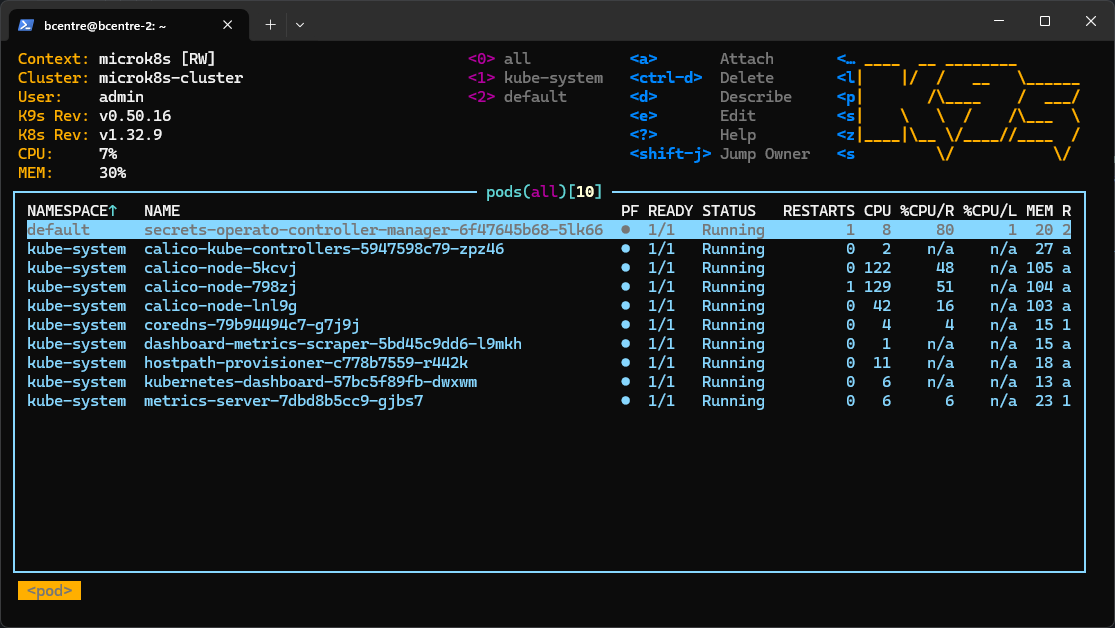
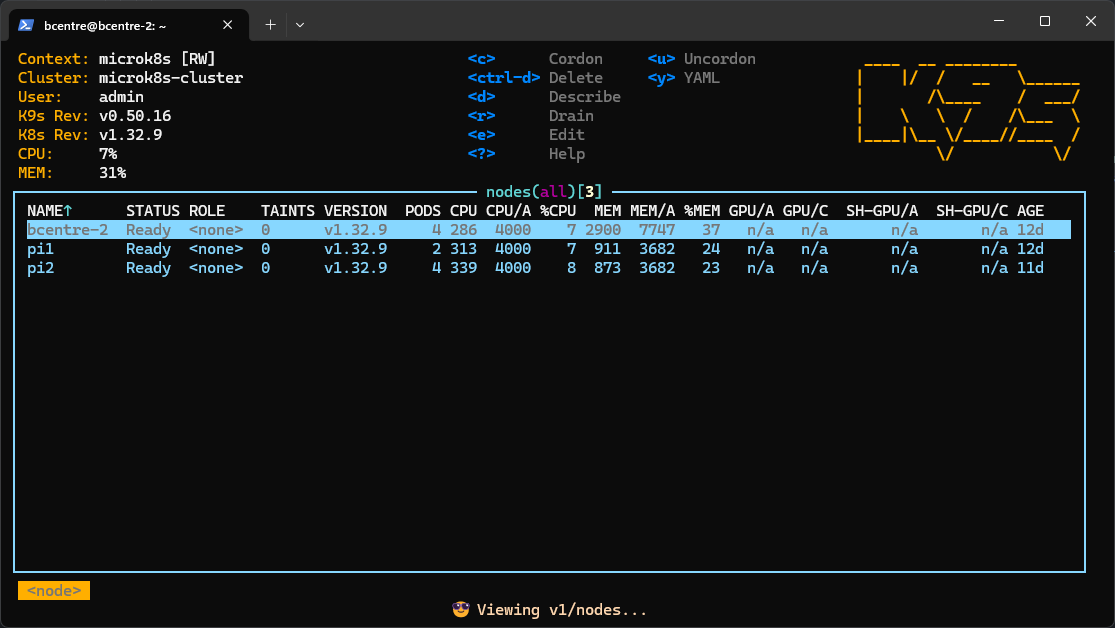
Is microk8s overkill for the workload? Yes. Could I, at this point, manage a Kubernetes cluster in a professional capacity? Absolutely not. But I have a cool k9s dashboard to show for, and for this experiment that's all that matters.